
Agent Analytics Docs
Agent Analytics gives AI agents such as Claude Code, Cursor, Codex, and OpenClaw one web analytics MCP and analytics API surface, exposed through skill, MCP, CLI, and HTTP API access paths. These docs now split the experience cleanly:
- Use Getting Started when you want the shortest path from zero to a live project.
- Choose
Connect as agentwhen you want the agent to own install, approval handoff, and setup from A to Z. - Use
Connect as humanonly when you need direct account access for billing, cancellation, or manual review. - Use Agent Analytics Skill when you want the regular skill for setup, reporting, and experiments.
- Use Autoresearch Growth Skill when you want a structured variant loop that feeds the next run from measured behavior.
- Use Examples when you want a working repository that shows the tracker in a real product surface.
- Use First Project in 5 Minutes when your AI agent is already installed and you want the clearest create-project, place-snippet, verify-first-page-view, and plan-first-useful-event loop.
- Use Session Paths when your agent needs to connect entry pages, exit pages, goal attribution, funnels, retention, and experiments.
- Use the guides when you want a prompt-first setup or workflow for a real task.
- Use CLI when you want the shell-first path itself.
- Use CLI vs MCP vs API when you want the clearest explanation of skill, MCP, CLI, and API across different agent environments.
- Use the API reference when you need endpoint-level request and response detail.
- Use the LLM text exports when you want a compact machine-readable index of the docs.
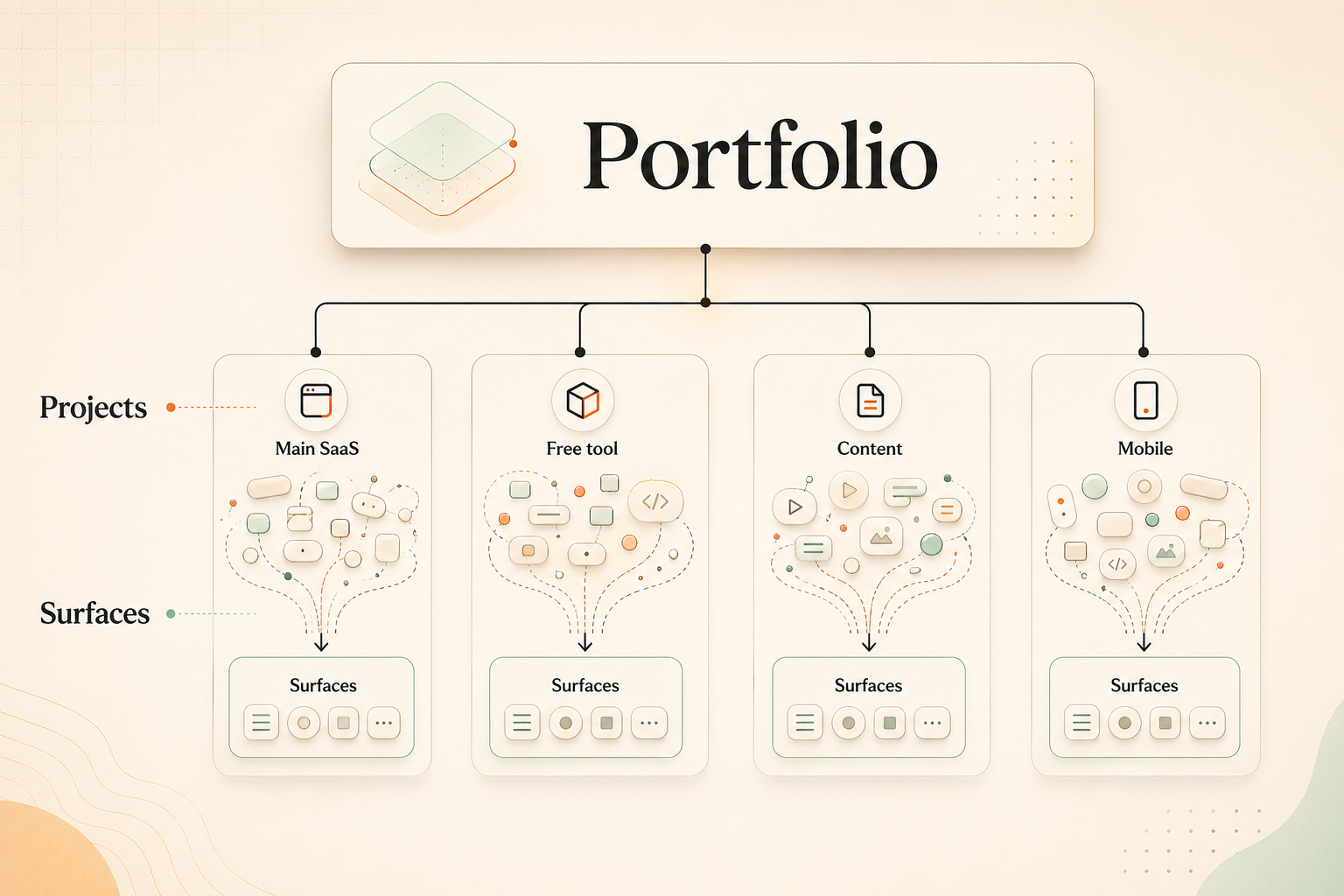
Product-system model
Portfolio → Projects → Surfaces
Start with the path you actually need
Section titled “Start with the path you actually need”Take the shortest path to a live project, then use First Project in 5 Minutes for the explicit install-to-live tracking loop.
Use prompt-first guides for setup, first-event verification, experiment tracking, and other agent-driven workflows.
Browse working repositories that show Agent Analytics integrated into real product surfaces with tests and README notes.
Dedicated install pages cover Claude Code, Claude Desktop / Cowork, Cursor, OpenClaw, and OpenAI Codex, and tell you which access path should come first.
Install the regular skill for setup and reporting, then use the autoresearch skill for growth loops and experiment candidates.
Interactive reference, endpoint details, and the canonical OpenAPI spec behind the same agent-first analytics surface.
Help your agent connect landing pages, exits, goals, funnels, retention, and experiments with bounded session-local paths.
Use llms.txt for the compact index or llms-full.txt for the full docs bundle.